Kraken Control Download

The DrunkDeer driver, as a real Windows app.

Set actuation and Rapid Trigger for every key, remap layers, paint the lighting and switch profiles on your A75. One small exe, nothing to install, and it never touches firmware.

Download for Windows

Windows 10 and 11, portable zip
Source code on GitHub

Unofficial. Not made by or affiliated with DrunkDeer.

Rapid Trigger, hands on

Drag the key down, then wiggle it. With Rapid Trigger on, a small lift releases the key and a small push presses it again. Keyboard: focus the key and use the arrow keys, or hold Space.

W
Depth 0.00mm
Released
Presses 0

Ranges from the A75 Ultra (2025): actuation 0.1–4.0 mm. In the app you set these per key.

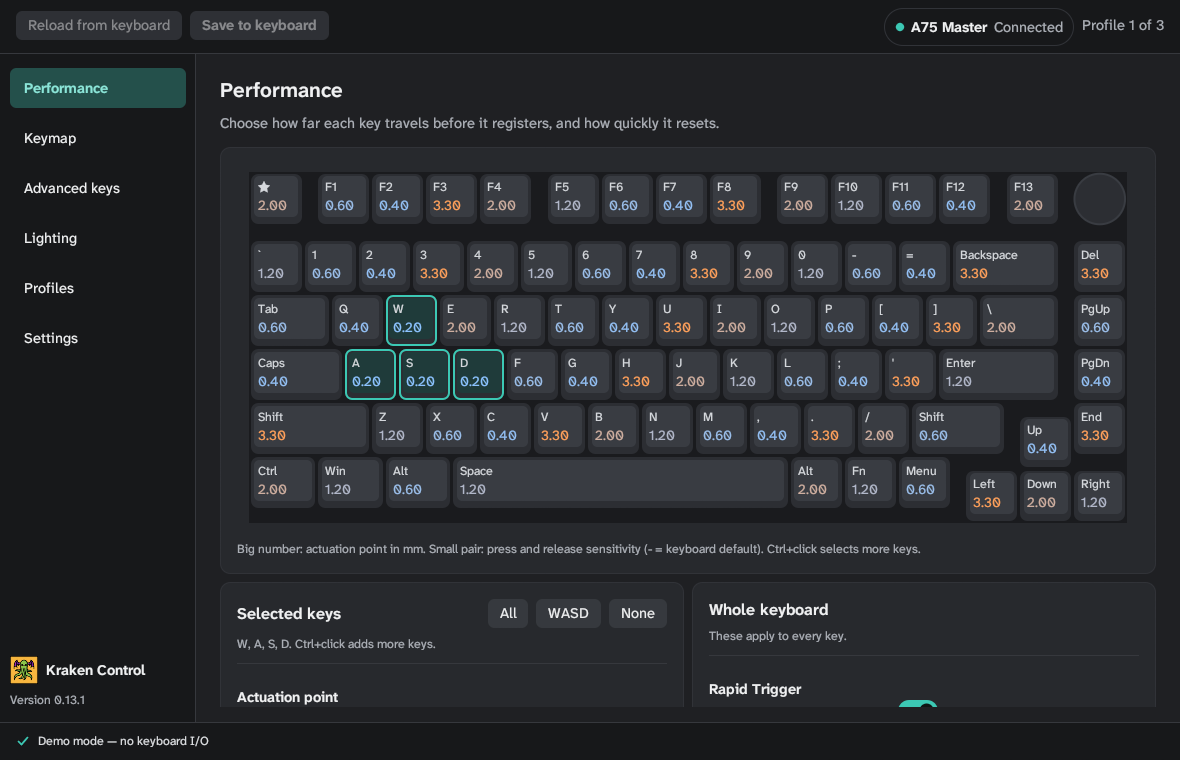
Kraken Control's Performance page: a full keyboard map with actuation values on each key and settings for the selected keys.
Performance page in the Dark Grey theme. Pick keys on the map, set their travel, press Save to keyboard.

What you can do

Set every key on its own

Give WASD a hair trigger and keep the rest of the board relaxed. Set the actuation point and Rapid Trigger press and release sensitivity per key, with dead zones on the 2025 A75 Ultra.

Click keys on the map to select them, or use the WASD, All and None shortcuts. Turn on live key depth to watch each key go down as you press it.
Remap any key, on every layer

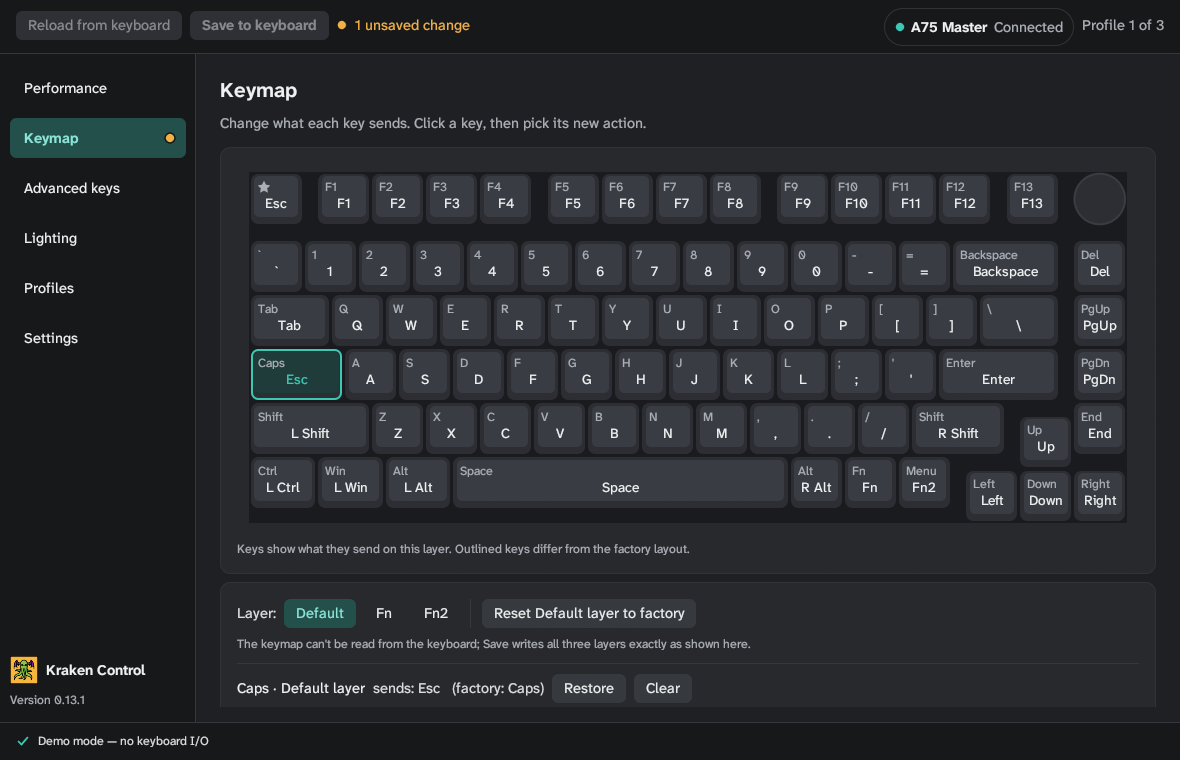
Pick from letters, symbols, F-keys, navigation, media and mouse keys. The original A75 has Default, Fn and Fn2 layers; the 2025 A75 Ultra has four layers and a remappable knob.

On the 2025 A75 Ultra you can also add SOCD, Rappy Snappy and One Key Switch pairs, Mod Tap, Toggle and DKS keys, and record and name macros, on any layer. Functions that could harm the keyboard are never offered.

Paint the lighting

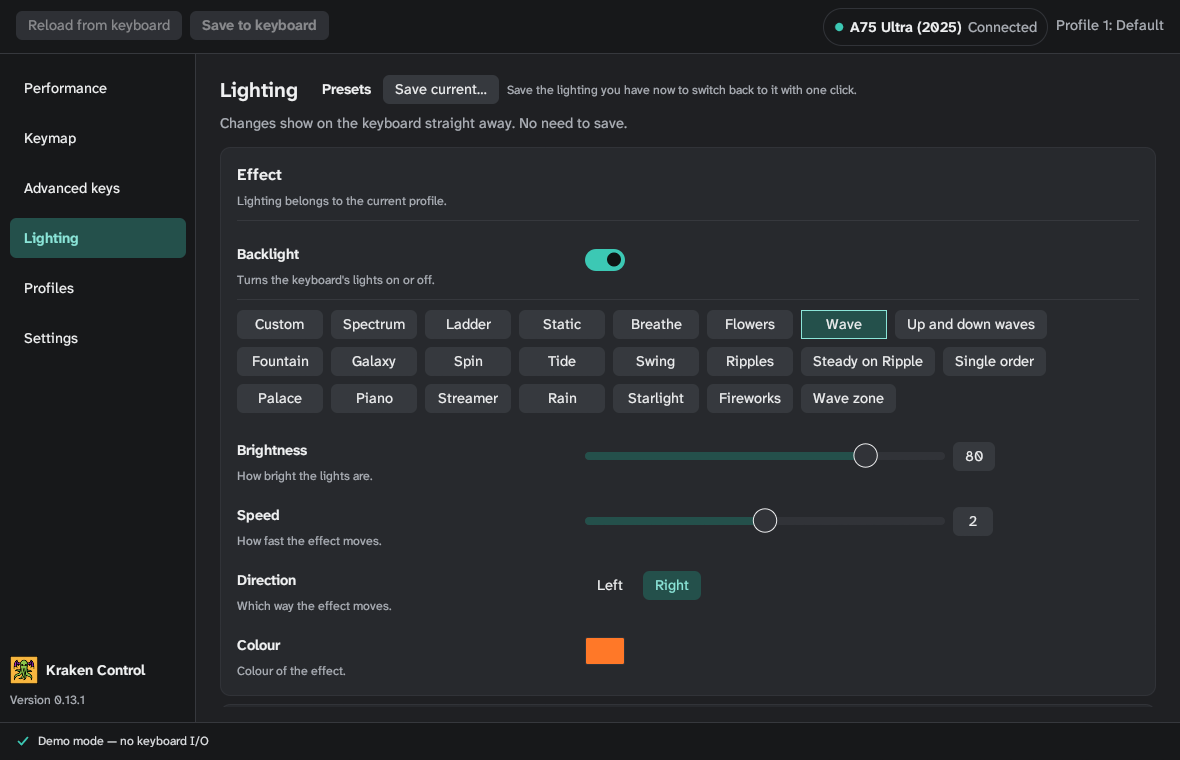
Choose an effect, brightness, speed, direction and colour, or paint colours key by key with highlight groups and patterns. Lighting changes show on the keyboard straight away.

Save a look as a preset and switch between presets with one click.

Take your setup anywhere

Switch the keyboard's onboard profiles, and on the original A75 keep more profiles on your PC. Move to another PC exports every setting to one file; import it on a fresh install and every value is checked before anything reaches the keyboard.

Easy on your PC

The window is drawn on the processor, so no graphics driver is loaded. The optional tray helper has no window at all: it switches the original A75's onboard profile when you open a game, and can start with Windows.

Easy on your eyes

Six themes: Dark Grey, Dark, White, Black-Plumb and two colour-blind themes, dark and light, that keep every state apart with any type of colour blindness and mark selected keys with a thick outline.

Your font

Pick from eight free fonts, including Atkinson Hyperlegible Next, Inter and JetBrains Mono. Each is sized to take the same room, so every page fits whatever you choose.

Supported keyboards

KeyboardUSB IDStatus
A75 Master, A75 Ultra (original)352DSupported
A75 Ultra (2025)19F5:FB3ESupported
Other DrunkDeer models–Detected, not supported yet

Have a model that isn't supported? Open an issue and attach the log; it helps add the next one.

Built not to brick your keyboard

  • Never writes firmware, factory resets or calibration. Kraken Control doesn't send those commands, and the key picker never offers them.
  • Saves only when you say so. Lighting applies live; everything else waits for Save to keyboard, and only what changed is sent.
  • Checks its work. Writes are read back from the keyboard wherever the keyboard can report them.
  • Open source. MIT licensed. Every download is built from the published code by GitHub Actions and listed with its SHA-256 checksum.

Install in a minute

  1. Download the zip from the latest release.
  2. Unzip it somewhere you can write to, like Documents. Not Program Files.
  3. Close the DrunkDeer web driver, then run kraken-control.exe.

The exe isn't code-signed yet, so Windows SmartScreen may warn the first time. Click More info, then Run anyway. To check the download, compare Get-FileHash in PowerShell with the checksum on the release page.

Questions

Is this made by DrunkDeer?

No. Kraken Control is an independent, open-source project. It talks to the keyboard the same way the official web driver does.

Can I use it with the web driver open?

Close the web driver tab and any other keyboard app first. The keyboard handles one program at a time.

Where are my settings stored?

In the data folder next to the exe. Nothing goes in the registry unless you turn on Start with Windows. To move to another PC, use Profiles, then Move to another PC.

How do I remove it?

If you turned on Start with Windows, turn it off in the app. Then delete the folder.

Does it run on macOS or Linux?

Not yet. It is a Windows app; the code that talks to the keyboard uses Windows' own USB functions.

Something doesn't work. What should I send?

Open a bug report with your keyboard model and attach data\log.txt.